Grandma's Wedding Footage, Three States Away: How BitTorrent Became Our Family Cloud

Photo by Photo by Vitaly Gariev on Unsplash on Unsplash
My mom called it "the shoebox problem." Except the shoebox was a 2TB external drive holding every home video since 2013 — birthday cakes, Thanksgiving in Ohio, my sister's entire soccer career — and it lived in a drawer in Florida while the rest of us lived everywhere else.
Every few months, somebody would ask for a clip. My dad would burn a DVD. A DVD. In 2025. Something had to change, and after staring down yet another cloud storage quote, we found the answer in the last place the mainstream would ever look: BitTorrent.
Why the Cloud Lost the Family Bid
Let's do the math first, because it's ugly. Eight hundred gigabytes of home video means the "unlimited-ish" tier from your typical cloud provider runs $10–15 a month. Over ten years, that's $1,200 to $1,800 — a rental, not a purchase. Stop paying, and the shoebox evaporates.
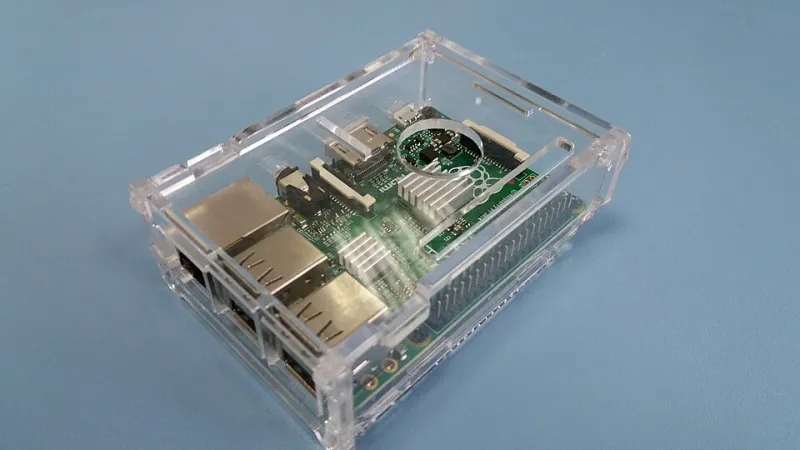
Compare that to what we actually bought: a $130 mini PC, a 4TB drive, and a weekend of tinkering. Total cost, about $250, once. And unlike a cloud account, nobody can decide to change their terms of service and take our memories with it. We've all read the stories about services shutting down and shows vanishing from menus — imagine that happening to your kid's first steps.
BitTorrent, stripped of everything the headlines taught you, is just a protocol for moving big files efficiently between machines that already trust each other. Used inside a family, it's less "piracy" and more "sneakernet with a Wi-Fi connection."
The Setup, Step by Step
Here's the exact recipe we used. It assumes zero Linux wizardry.
1. Pick your hub. Any always-on computer works. We used a fanless mini PC because it sips about 8 watts — roughly $1.20 a month in electricity in most of the US. Your old laptop in a closet works too.
2. Install a torrent client with a web interface. qBittorrent is the gold standard here: free, open source, and it runs a little control panel you can reach from any browser in the house. This matters because your parents should never have to touch it directly.
3. Create a torrent of the archive — but keep it private. In qBittorrent, "Create New Torrent" has an option to add tracker URLs. For a family setup, you can start with no tracker at all and share the .torrent file directly with the four other family members. No tracker means no public listing anywhere. Nobody can find this swarm unless someone hands them the file.
4. Turn on encryption. In the client's settings, enable "Require encryption" (it's under BitTorrent > Connections in qBittorrent). This wraps the transfer so your ISP sees encrypted traffic, not file names. It's not a cloak of invisibility, but for personal home videos between family IPs, it's plenty — and it stops ISPs from advertising "traffic shaping" on your connection.
5. Distribute the .torrent file like a family recipe. Email it, text it, hand it over on a thumb drive at Thanksgiving. Whoever opens it starts pulling the archive automatically, piece by piece, at whatever speed their connection allows. My brother in Denver pulled the full 800GB over about five days without noticing it was happening.
6. Add new videos as they come. When Mom digitizes another tape, she drops the file in the shared folder and creates a fresh torrent. Everyone re-adds the small .torrent file and their copy updates. It's a two-minute chore once a month.
The Part Nobody Tells You: Seeding Is the Whole Trick
BitTorrent has a reputation problem among normies, but its core mechanic — seeding — is actually the feature that makes this beautiful for families. As long as two or three of us keep our copies online, the archive is effectively backed up in three states simultaneously. If Dad's drive dies in a Florida thunderstorm (a real and recurring threat), the family swarm restores it overnight. That's redundancy you'd pay extra for at any cloud provider.
The etiquette is simple and worth teaching the group chat: leave your client running overnight a few times a week, don't delete your copy, and don't move files out of the shared folder or the swarm breaks. That's it. That's the whole social contract.
Security Notes for the Paranormal-Aware
A few things worth doing before you invite the relatives in:
- Use a VPN on the hub machine if your ISP is known to send notices. For private family transfers it's rarely needed, but it costs nothing to be careful.
- Don't expose the qBittorrent web interface to the internet. If your parents want to upload remotely, set up a VPN like Tailscale (free for personal use) so only family devices can reach the control panel.
- Label your torrents clearly. "Thanksgiving_2021_Final" beats "video_047" when someone's scrolling for the turkey montage.
- Keep one offline copy. A drive in a fireproof box at Mom's house. BitTorrent is great; physics is still physics.
Six Months Later
The shoebox drive still lives in the drawer, but now it's a backup, not the only copy. My cousin in Seattle watches the soccer highlights on her phone. My dad has stopped buying DVDs entirely — a small miracle. And when my sister's wedding video lands next month, it'll propagate to five households before the honeymoon's over.
Nobody in my family knows what a "swarm" is. They just know the videos are everywhere, they're safe, and the bill is zero. BitTorrent didn't need a rebrand. It just needed to be pointed at the right shoebox.